Code Components for Model-Driven Apps
Code components for model-driven apps implementation and configuration
MCP get_skill({ skillId: "code-components-for-model-driven-apps-f6400f77" })Use this skill with your agent
Create a free account and connect via MCP
# Code Components for Model-Driven Apps Power Apps component framework gives developers the ability to extend the visualizations in model-driven apps. Professional developers can create, debug, import, and add code components to model-driven apps using [Microsoft Power Platform CLI](https://learn.microsoft.com/en-us/power-apps/developer/component-framework/get-powerapps-cli). ## Component Usage You can add code components to: - Columns - Grids - Sub grids in model-driven apps. > **Important**: Power Apps component framework is enabled for model-driven apps by default. See [Code components for canvas apps](https://learn.microsoft.com/en-us/power-apps/developer/component-framework/component-framework-for-canvas-apps) to learn how to enable Power Apps component framework for canvas apps. ## Implementing Code Components Before you start creating code components, make sure that you have installed all the [prerequisites](https://learn.microsoft.com/en-us/power-apps/developer/component-framework/create-custom-controls-using-pcf#prerequisites) that are required to develop components using Power Apps component framework. The [create your first code component](https://learn.microsoft.com/en-us/power-apps/developer/component-framework/implementing-controls-using-typescript) article demonstrates the step-by-step process to create code components. ## Add Code Components to Model-Driven Apps To add code components to a column or a table in model-driven apps, see [Add code components to model-driven apps](https://learn.microsoft.com/en-us/power-apps/developer/component-framework/add-custom-controls-to-a-field-or-entity). ### Examples **Linear Slider Control:** 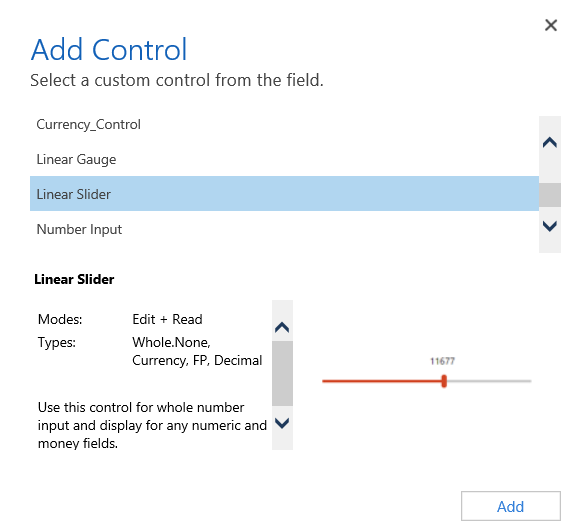 **Data Set Grid Component:** 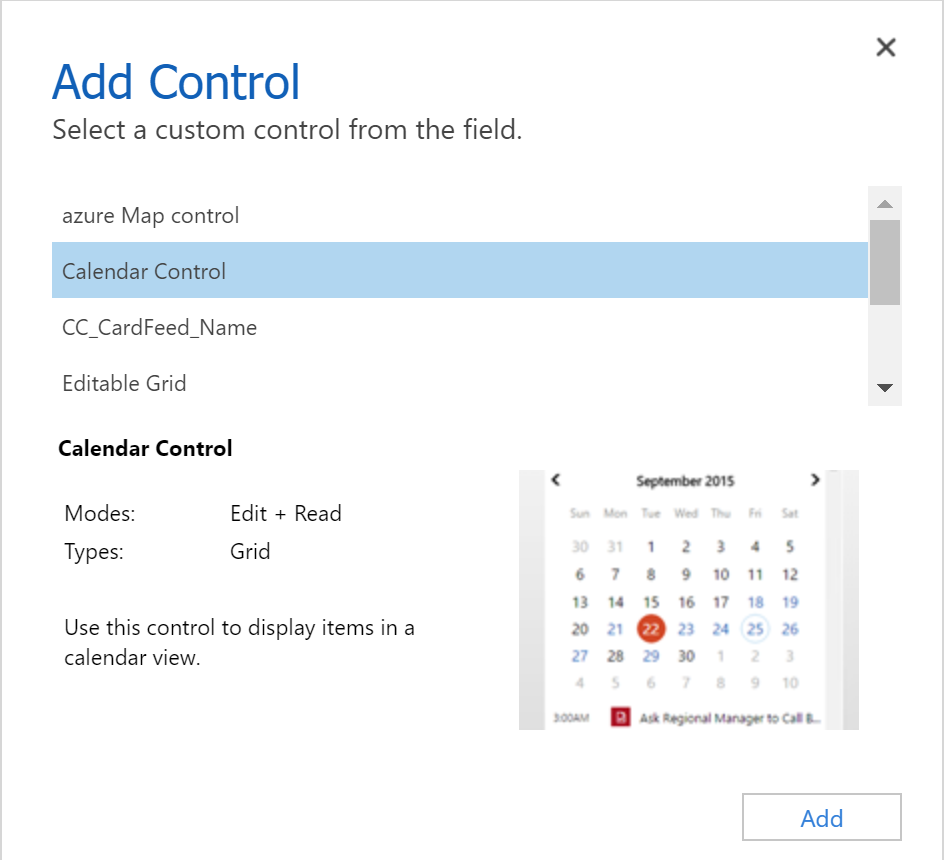 ## Update Existing Code Components Whenever you update the code components and want to see the changes in runtime, you need to bump the version property in the manifest file. **Best Practice**: It is recommended to always bump the version of the component whenever you make changes. ## See Also - [Power Apps component framework overview](https://learn.microsoft.com/en-us/power-apps/developer/component-framework/overview) - [Create your first code component](https://learn.microsoft.com/en-us/power-apps/developer/component-framework/implementing-controls-using-typescript) - [Learn Power Apps component framework](https://learn.microsoft.com/en-us/training/paths/use-power-apps-component-framework)
Related Skills
More skills in Business, Marketing & Sales
Ab Testing
When the user wants to plan, design, or implement an A/B test or experiment, or build a growth experimentation program. Also use when the user mentions "A/B test," "split test," "experiment," "test this change," "variant copy," "multivariate test," "hypothesis," "should I test this," "which version is better," "test two versions," "statistical significance," "how long should I run this test," "growth experiments," "experiment velocity," "experiment backlog," "ICE score," "experimentation program," or "experiment playbook." Use this whenever someone is comparing two approaches and wants to measure which performs better, or when they want to build a systematic experimentation practice. For tracking implementation, see analytics. For page-level conversion optimization, see cro.
Ab Test Setup
When the user wants to plan, design, or implement an A/B test or experiment. Also use when the user mentions "A/B test," "split test," "experiment," "test this change," "variant copy," "multivariate test," "hypothesis," "conversion experiment," "statistical significance," or "test this." For tracking implementation, see analytics-tracking.
Ab Test Setup
Ab Test Setup linked from Corey Haines marketing skills, with the upstream skill instructions available on GitHub.
Ab Test Store Listing
When the user wants to A/B test App Store product page elements to improve conversion rate. Also use when the user mentions "A/B test", "product page optimization", "test my screenshots", "test my icon", "conversion rate optimization", "CPP", or "custom product pages". For screenshot design, see screenshot-optimization. For metadata optimization, see metadata-optimization.
Account Research
Research a company or person and get actionable sales intel. Works standalone with web search, supercharged when you connect enrichment tools or your CRM. Trigger with "research [company]", "look up [person]", "intel on [prospect]", "who is [name] at [company]", or "tell me about [company]".
Account Research
Research a company using Common Room data. Triggers on 'research [company]', 'tell me about [domain]', 'pull up signals for [account]', 'what's going on with [company]', or any account-level question.
Explore Other Categories
Skills from other categories with shared topics
AI Model Recommendation for Copilot Chat Modes and Prompts
Analyze chatmode or prompt files and recommend optimal AI models based on task complexity, required capabilities, and cost-efficiency
ASP.NET REST API Development
Guidelines for building REST APIs with ASP.NET
ColdFusion Coding Standards for CFC Files
ColdFusion Coding Standards for CFC component and application patterns